Hive Thermostat Installation: Free With a New Boiler in MK
TL;DR
Plumbline MK fits a Hive smart thermostat free with every new boiler installation. The kit is three parts: a receiver wired to the boiler, a wireless thermostat and a hub on your router. Wiring the receiver is an engineer's job; the thermostat and hub are simple. A smart thermostat only saves gas if the schedule matches your routine and the boiler flow temperature is set low enough to condense, so we set both up before we leave.
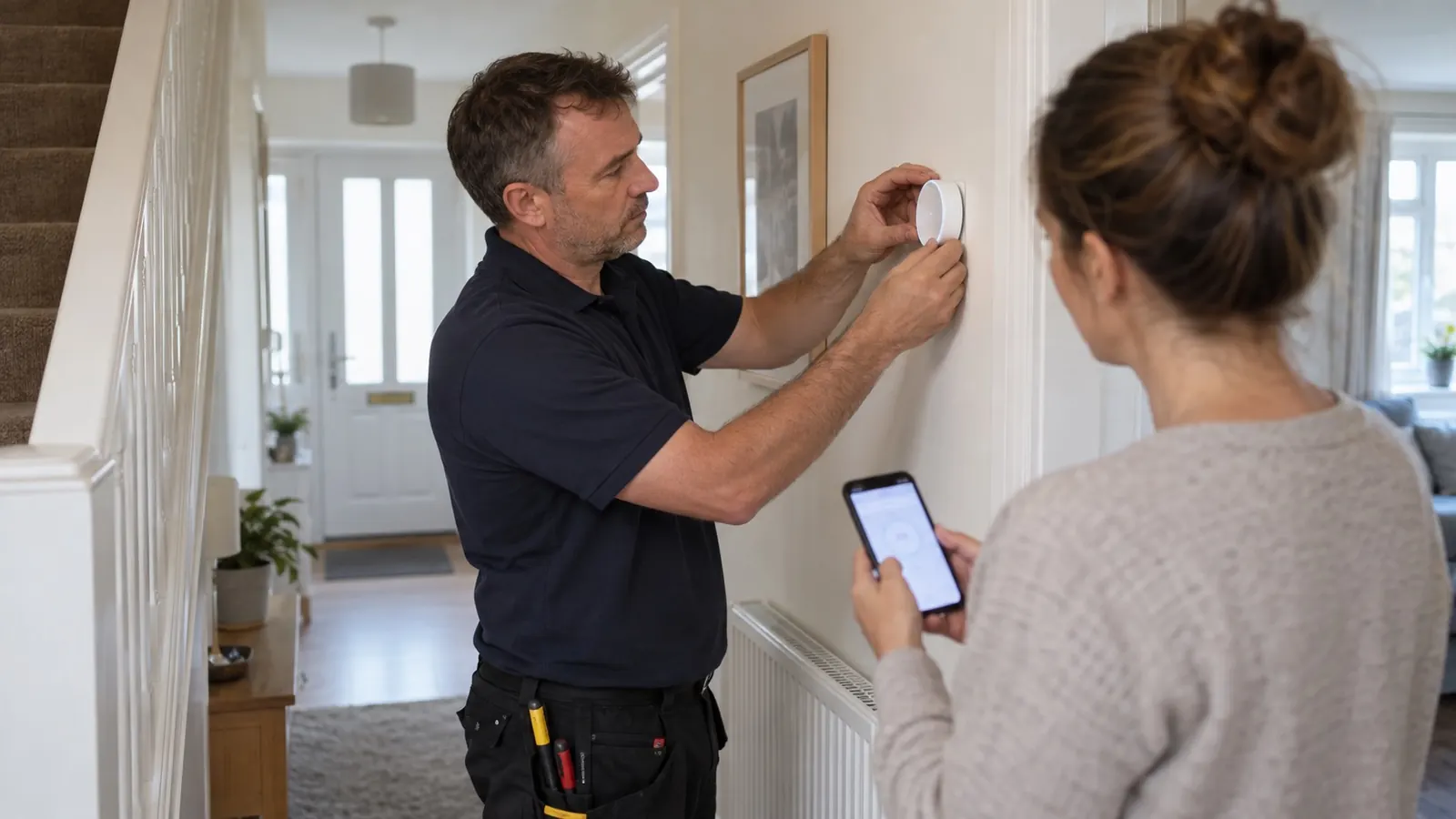
When we fit a new boiler in Milton Keynes, a Hive smart thermostat goes on the wall with it at no extra cost. People sometimes assume that is a sales gimmick. It is not. A new boiler controlled by a thirty-year-old dial stat or a clockwork programmer never performs the way it should, and a properly set up smart control is the cheapest way we know to make a boiler run better. This guide explains what you get, what the install involves, how to get real value from it, and how to sort the common faults yourself.
One thing first: the receiver that switches the boiler is wired to the boiler's control terminals. That part, and anything else at the boiler, is a job for a Gas Safe registered engineer or a qualified electrician. The rest of the kit is plug-and-play.
Why we include a Hive rather than something else
Hive is made by Centrica, the British Gas parent company, and it is the smart thermostat most of our customers have already heard of. It works with every modern combi and system boiler we fit, the app is simple, replacement parts and batteries are easy to get, and it does not need a subscription to keep working. There are alternatives we rate, and if you already own a Nest or Tado and want it moved across to the new boiler, we will do that instead. Hive is simply the one that suits most MK homes with the least fuss.
The other reason is self-interest, and we are happy to admit it. A customer who understands their heating schedule rings us far less often in the first winter with "the boiler is not doing what I want". Ten minutes setting the schedule up together saves both of us a call-out.
What is in the kit
- The receiver. A small box mounted next to the boiler, wired in place of the old programmer. This is what actually turns the boiler on and off. On a system boiler with a cylinder, the hot water version of the receiver controls the cylinder too.
- The thermostat. Wireless and battery powered. It sits on a wall bracket or a stand in a living room or hall, reads the room temperature and tells the receiver when heat is wanted.
- The hub. Plugs into your broadband router with a short cable. It connects the system to the internet so the app, schedules from your phone and voice assistants work.
The thermostat and receiver talk to each other directly by radio. The hub is only for remote control. That one fact solves a lot of confusion later: if the heating works but the app does not, the heating is fine and the hub or your broadband is the problem.
Which boilers it works with
- Modern combi with a standard on/off programmer. Straightforward. The receiver replaces the programmer on the same wiring.
- Combi that supports OpenTherm. Worth asking about. With the OpenTherm version of the receiver, Hive tells the boiler how much heat is needed rather than just on or off, so the boiler runs longer and cooler. Not every boiler supports it, and the wiring is different, so this is decided at survey.
- System or regular boiler with a hot water cylinder. Needs the heating and hot water version so the cylinder is controlled too. Existing S-plan or Y-plan wiring decides how it connects.
- Underfloor heating. Slow-response systems need their own zone control. Hive can run a radiator zone alongside, but it is not the right controller for a wet UFH manifold on its own.
- Older boilers with unusual wiring. Usually possible, sometimes not. Send us a photo of the existing programmer and we will tell you.
What the install involves
- Survey the existing controls. The wiring behind the old programmer decides what is needed.
- Isolate the power at the boiler's fused spur or the consumer unit.
- Swap the programmer for the receiver. This is the regulated bit, done with the boiler install.
- Site the thermostat. Not above a radiator, not in direct sun, not in a draughty hall by the front door, and not in the kitchen. A thermostat that reads the room wrongly shuts the heating off early and causes more complaints than any electrical fault.
- Plug in the hub and pair everything through the app.
- Set the schedule with you. This is where most installers cut corners. We do it before we leave.
On a new boiler install this adds very little time to the day. As a standalone job on an existing boiler it is normally done in a morning; what changes the price is whether the existing wiring is suitable, whether hot water needs controlling, and whether the OpenTherm receiver or extra zones are involved. We will tell you which applies before you book.
Getting real savings out of it
Here is the honest bit that the marketing does not print: a smart thermostat used with the same schedule and the same boiler settings as before saves almost nothing. The Energy Saving Trust is clear that controls save money when they let you heat less, for less time, at a lower temperature. The device only helps if it makes that easier. Four things that matter more than the app:
- A real schedule. The single biggest mistake we see is heating set to come on early morning and stay on all day "just in case". Set it to come on shortly before you need it and off when the house empties. Use the away mode for holidays rather than switching off, so frost protection stays active.
- Boiler flow temperature. A condensing boiler is most efficient when the water returning to it is cool enough to condense, roughly below 55C. We turn the flow temperature down on install and explain how to nudge it back up if the house struggles in a cold snap.
- Balanced radiators. If the far rooms are cold and the near rooms roast, the thermostat is not the fix. Our radiator not heating up guide covers the usual causes.
- Modulating control where the boiler supports it. OpenTherm lets the boiler throttle down to match demand instead of firing flat out and shutting off. Ask at survey.
Hive not working? Work through this in order
Almost every smart thermostat fault is a break in one of three links: thermostat to receiver, receiver to boiler, or hub to internet. Find the broken link before you change anything.
- App will not connect but the heating works. Hub or broadband. Check the hub has power and a normal light, reseat the cable to the router, restart the router. If you have changed router recently the hub may need re-adding. Your schedule keeps running the whole time; nothing urgent is wrong.
- Thermostat screen is blank. Batteries. Replace them all together with good alkalines. Give it a minute or two to find the receiver again before assuming it is broken. A thermostat that becomes sluggish is usually giving you early warning.
- Thermostat shows no connection, or you change the temperature and nothing happens. Pairing or signal. Causes are flat batteries, the thermostat having been moved too far from the receiver, a new metal appliance or foil-backed insulation in the path, or the pairing dropping after a power cut. Re-pair per the Hive instructions. If it keeps dropping, the thermostat needs to live somewhere closer.
- Boiler runs when it should not. Check for a hot water schedule overlapping the heating, a boost left running, holiday or frost modes, and a manual override on the receiver itself, which is often left on after someone has worked on the boiler.
- Receiver clicks and shows a call for heat but the boiler does nothing. The control side has done its job. This is a boiler fault. Look at the boiler display for a code and check the pressure gauge; our boiler losing pressure and central heating not working guides take it from there.
- Rooms never reach the set temperature. Not a thermostat fault. The boiler is running but the system cannot deliver: air in radiators, an unbalanced system, sludge, or the thermostat sitting somewhere warmer than the rooms you care about.
Battery changes, re-pairing and router restarts are fine to do yourself. Anything behind the receiver cover, at the boiler terminals or in a wiring centre is not. A miswired control can leave a boiler firing when it should not, and that is where we come in.
Frequently asked questions
Will the heating still work if the internet goes down?
Yes. The schedule is stored locally and the thermostat talks to the receiver directly. You lose the app until broadband returns, not the heating.
Can I fit a Hive myself?
The thermostat and hub, yes. The receiver replaces the programmer on mains wiring at the boiler, which needs a competent person and, if the boiler terminals are involved, an engineer. Getting it wrong can damage the boiler's circuit board and affects your warranty.
Is the Hive included on every boiler install?
Yes, on every new boiler installation we carry out in Milton Keynes and the surrounding towns. If you would rather keep an existing smart thermostat, we will connect that instead.
Can I take it with me when I move?
You can, but you must leave a working control behind, and the receiver would need re-wiring at both ends. Most people leave it and note the login details for the buyer.
Does it work with Alexa or Google Home?
Yes, through the Hive app once the hub is online.
Book it with your new boiler
If you are replacing a boiler anywhere in Milton Keynes, Newport Pagnell, Bletchley, Wolverton or the surrounding towns, the Hive is part of the package. See our boiler installation page for what else is included, or get in touch if you just want a smart thermostat fitted to the boiler you already have.
Need Professional Advice?
Our Gas Safe registered engineers are ready to help with all your heating needs. Get a free, no-obligation quote today.